
introduction
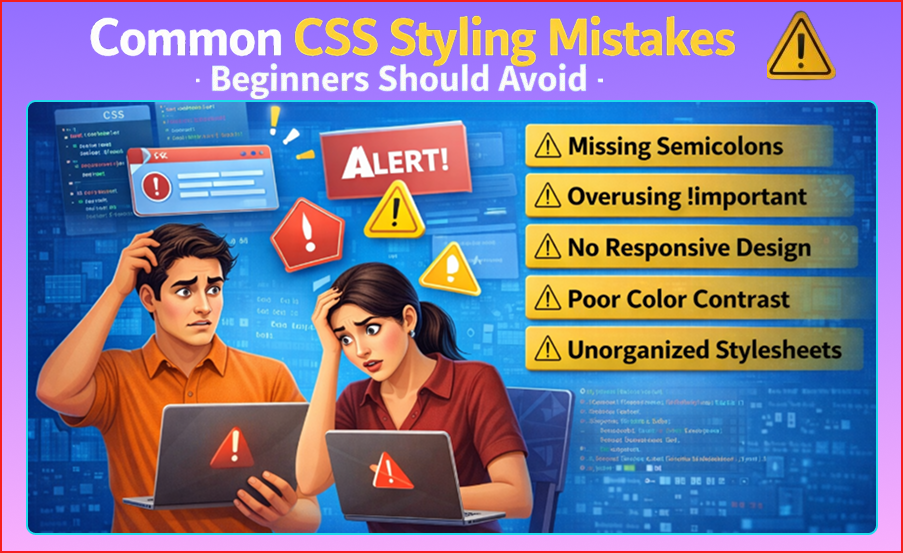
CSS is a powerful tool for web developers, allowing you to style websites, control layouts, and make web pages look professional. But beginners often make mistakes that can lead to messy, unorganized, and hard-to-maintain CSS. Common CSS Styling Mistakes
In this guide, we will discuss the most common CSS mistakes beginners make, explain why they happen, and provide simple tips to avoid them. By the end of this article, you will have a clear understanding of good CSS practices.Common CSS Styling Mistakes
1. Overusing Inline CSS
What Happens:
Inline CSS is written directly in HTML using the style attribute.
Example:
<p style="color: red; font-size: 16px;">Hello World</p>
Why It’s a Mistake:
- Makes HTML messy
- Styles cannot be reused
- Hard to maintain on larger websites
Tip:
Use external CSS files or internal style blocks instead of inline styles for maintainability.
2. Ignoring CSS Specificity
What Happens:
CSS rules sometimes conflict because beginners don’t understand specificity.
Example:
p { color: blue; }
p.special { color: red; }
Why It’s a Mistake:
- Can lead to unexpected styles
- Hard to debug large CSS files
Tip:
Learn CSS specificity rules: Inline > ID > Class > Element
Use meaningful class names and avoid overly complex selectors.
3. Using IDs for Styling Too Much
What Happens:
Beginners often use IDs (#) instead of classes (.) for styling.
Example:
#header { color: red; }
Why It’s a Mistake:
- IDs are unique, cannot be reused
- Overly specific, hard to override
- Not flexible for multiple elements
Tip:
Use classes for reusable styles and reserve IDs for JavaScript hooks or unique elements.
4. Not Using Box-Sizing Correctly
What Happens:
Padding and borders increase element size unexpectedly.
Example:
div {
  width: 200px;
  padding: 20px;
  border: 5px solid black;
}
Why It’s a Mistake:
- Leads to layout issues
- Causes elements to overflow
Tip:
Use this at the start of your CSS:
* {
  box-sizing: border-box;
}
5. Overcomplicating Selectors
What Happens:
Beginners write long, complex selectors.
Example:
div.container > ul > li > a { color: red; }
Why It’s a Mistake:
- Hard to read and maintain
- Overly specific, conflicts with other styles
Tip:
Keep selectors short, clear, and meaningful.
Prefer class selectors over long nested selectors.
6. Not Using Shorthand Properties
What Happens:
Writing repetitive CSS instead of using shorthand.
Example:
margin-top: 10px;
margin-right: 10px;
margin-bottom: 10px;
margin-left: 10px;
Why It’s a Mistake:
- Makes CSS bloated
- Harder to maintain
Tip:
Use shorthand properties:
margin: 10px;
padding: 5px 10px;
7. Overusing !important
What Happens:
Beginners often use !important to force styles.
Example:
p {
  color: blue !important;
}
Why It’s a Mistake:
- Breaks CSS hierarchy
- Hard to override later
- Leads to messy CSS
Tip:
Avoid !important unless absolutely necessary. Focus on proper specificity and selector order.
8. Not Organizing CSS Properly
What Happens:
All styles are written randomly in one file.
Why It’s a Mistake:
- Difficult to read
- Hard to debug
- Makes collaboration harder
Tip:
- Organize CSS logically: typography, layout, colors, components
- Use comments to separate sections Common CSS Styling Mistakes
9. Ignoring Responsive Design
What Happens:
Beginners design only for desktop screens.
Why It’s a Mistake:
- Website looks broken on mobiles or tablets
- Users have poor experience
Tip:
Use media queries and flexible units (%, em, rem)
Example:
@media (max-width: 768px) {
  body { font-size: 14px; }
}
10. Using Absolute Positioning Everywhere
What Happens:
Beginners often position everything with absolute.Common CSS Styling Mistakes
Why It’s a Mistake:
- Breaks layout when screen size changes
- Overlaps elements unexpectedly
Tip:
Use Flexbox or CSS Grid for layout
Use absolute only for popups, modals, or special cases.
11. Not Testing Across Browsers
What Happens:
CSS may work on Chrome but break on Firefox, Edge, or Safari.
Why It’s a Mistake:
- Leads to inconsistent design
- Poor user experience
Tip:
Test your CSS on different browsers and devices. Use browser dev tools to debug.Common CSS Styling Mistakes
12. Too Many Fonts and Colors
What Happens:
Beginners use many fonts and colors randomly.
Why It’s a Mistake:
- Looks unprofessional
- Hard to maintain
- Reduces readability
Tip:
- Limit fonts to 1–2 per site
- Stick to a color palette
- Use contrast wisely for readability Common CSS Styling Mistakes
13. Forgetting Units
What Happens:
Writing CSS without proper units.
Example:
p { margin: 20; } /* Wrong */
Why It’s a Mistake:
- CSS won’t render as expected
- Can break layouts
Tip:
Always include units (px, %, em, rem) where required.
14. Ignoring CSS Comments
What Happens:
Beginners rarely comment their CSS.
Why It’s a Mistake:
- Hard to remember purpose of code
- Difficult for team collaboration
Tip:
Use comments to explain sections: Common CSS Styling Mistakes
/* Header styles */
.header { ... }

/* Footer styles */
.footer { ... }
Summary of Common Mistakes
| Mistake | Why Avoid It | Tip |
|---|---|---|
| Inline CSS | Messy, not reusable | Use external or internal CSS |
| Wrong specificity | Conflicts, hard to debug | Learn specificity rules |
| Using IDs too much | Not reusable | Prefer classes |
| Ignoring box-sizing | Layout issues | Use box-sizing: border-box |
| Complex selectors | Hard to maintain | Keep selectors simple |
| Overusing !important | Breaks hierarchy | Use only if needed |
| No organization | Hard to read | Use sections & comments |
| Ignoring responsive | Broken layouts | Use media queries & flexible units |
| Absolute everywhere | Layout breaks | Use Flexbox/Grid |
Conclusion
CSS is simple but can get messy if beginners make common mistakes. Overusing inline styles, ignoring specificity, improper positioning, and lack of organization are the main issues. By following best practices and avoiding these mistakes, you can write clean, efficient, and professional CSS that is easy to maintain and works well across devices and browsers.Common CSS Styling Mistakes
Mastering these habits early will save time, reduce frustration, and make your journey as a web developer much smoother.Common CSS Styling Mistakes