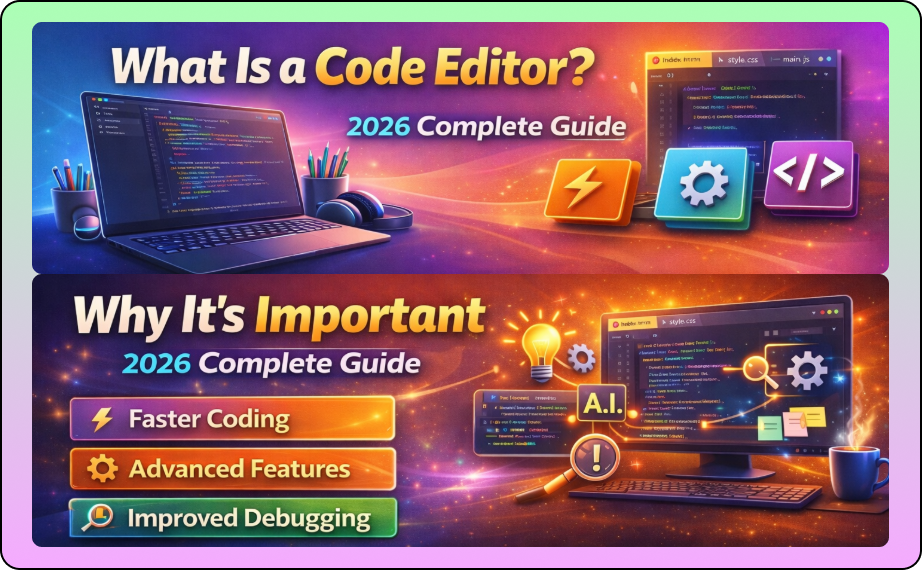

Programming seekhne ke beginners aksar confuse ho jaate hain ki What Is a Code Editor and Why It’s Important. Agar aap sahi tool use karte ho, to coding ka experience fast, smooth aur productive ho jata hai. Ye guide aapko step-by-step samjhata hai:
- Code editor ka definition
- Importance aur benefits
- Popular editors in 2026
- Beginners ke liye best practices
- Real-world use cases
- Common mistakes aur tips
What Is a Code Editor?
A code editor ek software application hai jo specially programming ke liye design kiya gaya hai. Ye sirf ek normal text editor nahi hai, balki ek advanced tool hai jo code likhne, manage karne aur debug karne me help karta hai.What Is a Code Editor
Code editor ka main purpose hai:
- Efficient coding environment provide karna
- Code readability aur organization improve karna
- Errors aur bugs ko prevent karna
Key Features of a Code Editor:
- Syntax Highlighting – Alag colors se code readable aur error spotting easy hoti hai
- Code Auto-Completion – Typing speed fast aur mistakes kam hoti hain
- Error Detection & Debugging – Real-time errors show hote hain
- File & Project Management – Multiple files aur folders easily manage hote hain
- Version Control Integration – Git aur GitHub support se collaboration possible hota hai
Example: Agar aap Python seekh rahe ho, to VS Code ya PyCharm aapko real-time syntax checking aur debugging provide karte hain, jo beginners ke liye learning curve ko bahut easy banata hai.What Is a Code Editor
Why Is a Code Editor Important?
Beginners aksar text editor (jaise Notepad) aur code editor me difference nahi samajhte. Ye confusion unke programming experience ko frustrating bana sakta hai.
Top Reasons a Code Editor Is Important:
- Productivity Boost – Auto-completion aur code snippets ke saath coding fast hoti hai
- Error Reduction – Syntax highlighting aur live error detection mistakes kam karte hain
- Project Organization – Multiple files aur projects properly manage kiye ja sakte hain
- Learning Support – Extensions aur tutorials beginners ko guide karte hain
- Integration – Git, debugging aur terminal access ke saath professional workflow
External Resource: Official VS Code WebsiteWhat Is a Code Editor
Example:
Ek simple Python program me agar aap plain Notepad use karte ho, to errors identify karna aur debug karna difficult hota hai. VS Code me ye process automatic aur faster hai, aur beginners easily learning mistakes avoid kar sakte hain.What Is a Code Editor
Types of Code Editors
Programming ke liye alag types ke editors available hain.
1. Simple Text Editors
- Notepad, TextEdit
- Basic features, sirf code likhne ke liye
- Beginner-friendly lekin advanced features nahi
2. Advanced Code Editors
- VS Code, Sublime Text, Atom
- Syntax highlighting, extensions, debugging support
- Lightweight aur fast
3. IDEs (Integrated Development Environments)
- PyCharm, IntelliJ IDEA, Eclipse
- Code editor + compiler/interpreter + debugger integrated
- Best for complex projects aur professional development
Tip: Beginners ke liye VS Code sabse suitable hai because it’s light, customizable, aur extensions-rich.
Popular Code Editors in 2026
- VS Code – Free, lightweight, Python aur web dev friendly
- Sublime Text – Fast, multi-language support
- Atom – Open-source, collaboration friendly
- PyCharm – Advanced Python projects ke liye best
- Notepad++ – Simple aur beginner-friendly
Comparison Table:
| Editor | Features | Best For | Price |
|---|---|---|---|
| VS Code | Extensions, Debugging | Python, Web Dev | Free |
| Sublime Text | Lightweight, Fast | Multi-language | Free/paid |
| Atom | Open-source, Collaboration | Web Dev | Free |
| PyCharm | Debugging, Testing | Python Projects | Free/paid |
| Notepad++ | Basic Editing | Simple Scripts | Free |
Real-Life Examples of Code Editor Use
Web Development:
VS Code + Live Server extension se HTML, CSS aur JS ka real-time preview possible hai.
Python Programming:
VS Code + Python extension se auto-completion aur debugging easy ho jata hai.
Game Development:
Unity aur Godot me code editors aur IDE integration hota hai for scripting.
Data Science & Machine Learning:
Jupyter Notebook ek specialized editor hai jo Python aur data visualization ke liye perfect hai.
Best Practices While Using a Code Editor
- Organize Projects – Proper folders aur naming conventions follow karein
- Use Extensions Wisely – Sirf necessary plugins install karein
- Keyboard Shortcuts – Productivity boost ke liye
- Version Control Integration – Git aur GitHub use karein
- Backup & Cloud Sync – Project data secure rahe
Internal Resource: Python Programming BasicsWhat Is a Code Editor
How Beginners Can Choose a Code Editor
- Check language support
- Evaluate extensions/plugins availability
- Consider performance & resource usage
- Look for community support
Example: Agar aap sirf Python seekh rahe ho, VS Code + Python extension best choice hai. Agar web development me interest hai, VS Code + Live Server aur Emmet extensions recommended hai.
Common Mistakes Beginners Make with Code Editors
- Wrong Editor Choice – Beginners lightweight editor ya IDE wrong select karte hain
- Too Many Extensions – System slow aur confusing ho sakta hai
- Ignoring Keyboard Shortcuts – Productivity kam ho jati hai
- Not Using Version Control – Code lose hone ka risk hota hai
- Messy Folder Structure – Code manage karna difficult ho jata hai
Tip: Start with VS Code, proper folder structure, aur 3–5 essential extensions use karein.
Conclusion
Agar aap beginner ho, to What Is a Code Editor and Why It’s Important samajhna essential hai. Ye tool aapko efficient, productive aur confident programmer banata hai. Right editor choose karne se learning smooth aur errors kam ho jaate hain.What Is a Code Editor