
HTML (Simple Guide)
When you start learning HTML, one important concept that every beginner must understand is the difference between block elements and inline elements. At first, these terms may sound confusing, but once you understand them, HTML layout becomes much easier.Block vs Inline Elements in HTML (Simple Guide) 7
Block and inline elements decide how content appears on a webpage. They control whether an element starts on a new line, how much space it takes, and how it behaves with other elements.
This guide is written in simple language for beginners, with clear explanations and examples.
By the end of this blog, you will understand:
- What block elements are
- What inline elements are
- How they behave differently
- Common block and inline elements
- When to use block or inline elements
What Are HTML Elements?
Before understanding block and inline elements, let’s quickly recall what an HTML element is.
An HTML element is a complete structure made using tags and content.
Example:
<p>This is a paragraph</p>
Here, <p> is an HTML element.
Now, HTML elements are mainly divided into block elements and inline elements based on their behavior.
What Are Block Elements?
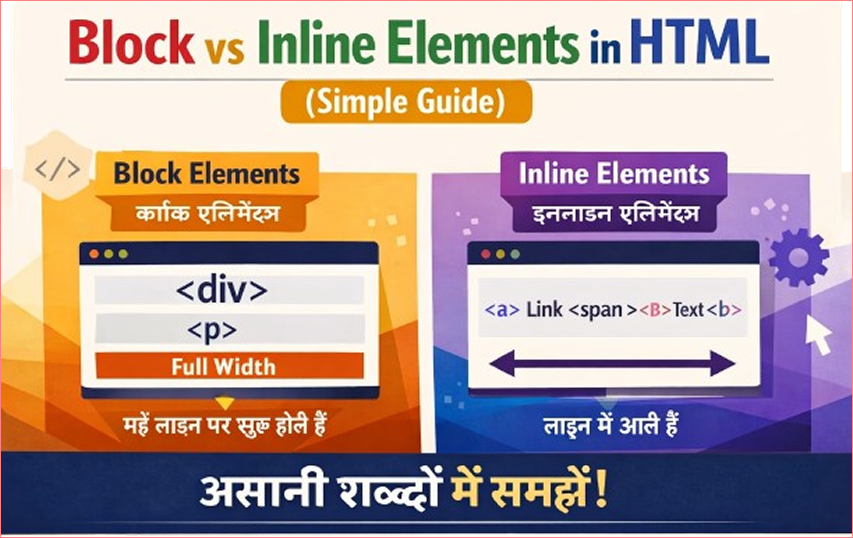
Block elements are HTML elements that:
- Always start on a new line
- Take up the full width available
- Push the next element to a new line
Think of block elements as big boxes stacked one below another.
Simple Example of a Block Element
<h1>This is a heading</h1>
<p>This is a paragraph</p>
<p>This is another paragraph</p>
What Happens Here?
- Each element starts on a new line
- One element appears below the other
This is the default behavior of block elements.
Common Block Elements in HTML
Some commonly used block elements are:
<div><p><h1>to<h6><ul><ol><li><section><article><header><footer><form>
These elements are mainly used to structure a webpage.
Behavior of Block Elements
Block elements:
- Start on a new line
- Take full width of the parent container
- Can contain other block and inline elements
Example:
<div>
    <h2>Title</h2>
    <p>This is inside a div.</p>
</div>
Here, <div> acts as a container.
What Are Inline Elements?
Inline elements do not start on a new line.
They:
- Stay in the same line
- Take only as much width as needed
- Flow with the text
Inline elements are like words inside a sentence.
Simple Example of an Inline Element
<p>This is <strong>important</strong> text.</p>
What Happens Here?
- The word “important” stays in the same line
- It does not break the paragraph into a new line
This is how inline elements work.
Common Inline Elements in HTML
Some commonly used inline elements are:
<span><a><strong><em><img><label><input><small>
Inline elements are mainly used to style or modify small parts of content.
Behavior of Inline Elements
Inline elements:
- Do not start on a new line
- Take only required space
- Cannot contain block elements
Example:
<span>Hello</span> <span>World</span>
Both words appear on the same line.
Block vs Inline Elements (Side-by-Side Example)
<div>This is a block element</div>
<span>This is an inline element</span>
<span>This stays on the same line</span>
Output Behavior:
<div>starts on a new line<span>stays on the same line
This example clearly shows the difference.
Key Differences Between Block and Inline Elements
| Feature | Block Elements | Inline Elements |
|---|---|---|
| New line | Yes | No |
| Width | Full width | Content width only |
| Line break | Before and after | No |
| Usage | Structure & layout | Text-level styling |
| Can contain | Block + Inline | Only inline |
Real-Life Example to Understand Better
Think of paragraphs in a book:
- Paragraphs = block elements
- Bold or italic words = inline elements
A paragraph starts on a new line, but bold words stay inside the line.
<div> vs <span> (Most Common Comparison)
<div> – Block Element
<div>This is a div</div>
<div>This is another div</div>
Each div appears on a new line.
<span> – Inline Element
<span>This is span</span>
<span>This is another span</span>
Both spans appear on the same line.
This is why:
<div>is used for layout<span>is used for small text styling
Can We Change Block and Inline Behavior?
Yes ✅
Using CSS, we can change how elements behave.
Example:
<span style="display:block;">Now I am block</span>
And:
<div style="display:inline;">Now I am inline</div>
But by default, HTML elements have fixed behavior.
Inline-Block (Bonus Concept)
There is also a third type called inline-block.
Inline-block elements:
- Stay in the same line
- Allow width and height
Example:
<img src="image.jpg">
Images behave like inline-block elements.
Common Beginner Mistakes
Using <div> everywhere
Not understanding why elements break lines
Trying to set width on inline elements
Mixing block and inline incorrectly
Understanding this concept early avoids layout confusion later.
When to Use Block Elements
Use block elements when:
- Creating page layout
- Grouping content
- Making sections
- Writing paragraphs
When to Use Inline Elements
Use inline elements when:
- Styling text
- Highlighting words
- Creating links
- Modifying small content
Why This Concept Is Important
Understanding block vs inline elements helps you:
- Control layout properly
- Learn CSS faster
- Avoid alignment issues
- Build clean, professional webpages
This concept is used in every real website.
Best Practices for Beginners
Use block elements for structure
Use inline elements for text-level changes
Practice by testing in browser
Observe how elements behave
Learn with small examples
Final Summary
- Block elements start on a new line and take full width
- Inline elements stay in the same line and take limited space
- Both are essential in HTML
<div>is block,<span>is inline- Understanding this makes layout easy
Once you master block and inline elements, HTML will start making real sense.