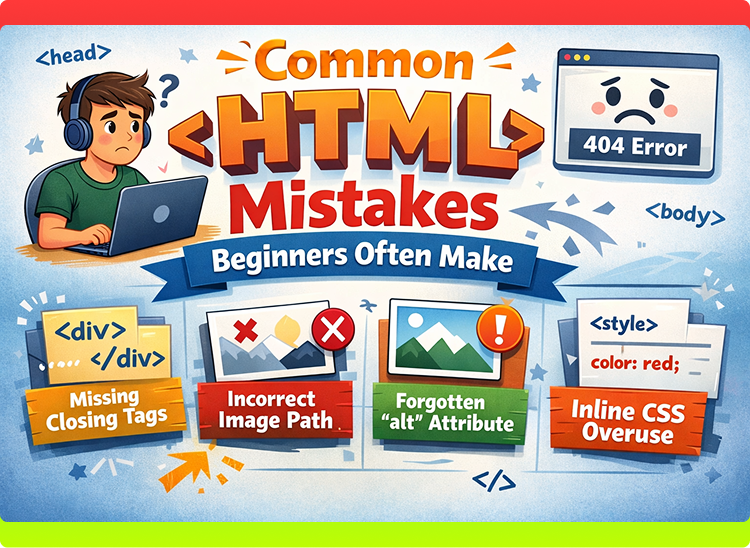

Common HTML Mistakes
When beginners start learning HTML, making mistakes is completely normal. HTML looks simple at first, but small errors can cause big confusion. Many beginners struggle not because HTML is difficult, but because they repeat the same common mistakes again and again.
Understanding these mistakes early can save you a lot of time and frustration. This blog will help you recognize the most common HTML mistakes beginners often make, why they happen, and how to avoid them.
This guide is written especially for absolute beginners.
Why Beginners Make Mistakes in HTML
HTML is usually the first language people learn in web development. Beginners often:
- Rush to write code
- Skip understanding basic structure
- Copy code without knowing how it works
- Ignore small syntax rules
The good news is that HTML mistakes are easy to fix once you understand them.
1. Forgetting the Basic HTML Structure
One of the most common mistakes is not using the proper HTML structure.
Wrong Example ❌
<h1>Hello World</h1>
<p>This is my page</p>
Correct Example ✅
<!DOCTYPE html>
<html>
<head>
    <title>My Page</title>
</head>
<body>
    <h1>Hello World</h1>
    <p>This is my page</p>
</body>
</html>
Why This Matters
Without the correct structure, browsers may still display content, but the page may behave unpredictably.
2. Forgetting to Close HTML Tags
Many HTML tags require closing tags. Beginners often forget to close them.
Wrong Example ❌
<p>This is a paragraph
Correct Example ✅
<p>This is a paragraph</p>
Why This Is a Problem
Unclosed tags can break page layout and cause unexpected results, especially in long pages.
3. Mixing Up Head and Body Content
Beginners often put visible content inside the <head> section.
Wrong Example ❌
<head>
    <h1>Welcome</h1>
</head>
Correct Example ✅
<body>
    <h1>Welcome</h1>
</body>
Explanation
<head>is for page information<body>is for visible content
Mixing them causes confusion and poor structure.
4. Using Multiple <h1> Tags Incorrectly
Beginners sometimes use many <h1> tags just to make text bigger.
Wrong Example ❌
<h1>Main Title</h1>
<h1>Another Title</h1>
Correct Approach ✅
<h1>Main Title</h1>
<h2>Sub Title</h2>
Why This Matters
<h1>represents the main topic- Multiple
<h1>tags hurt structure and readability
5. Using <br> Instead of Proper Tags
Many beginners use <br> repeatedly instead of proper HTML elements.
Wrong Example ❌
This is line one<br><br><br>
This is line two
Correct Example ✅
<p>This is line one</p>
<p>This is line two</p>
Explanation
<br> is for line breaks, not layout spacing.
6. Forgetting the alt Attribute in Images
Beginners often add images without the alt attribute.
Wrong Example ❌
<img src="photo.jpg">
Correct Example ✅
<img src="photo.jpg" alt="My Photo">
Why This Is Important
- Helps screen readers
- Improves accessibility
- Shows text if image fails to load
7. Incorrect File Extension
Saving the file with the wrong extension is a very common beginner mistake.
Wrong ❌
index.txt
Correct ✅
index.html
Explanation
Browsers only understand HTML when the file extension is .html.
8. Writing HTML Attributes Incorrectly
Beginners often forget quotation marks or write attributes wrongly.
Wrong Example ❌
<input type=text placeholder=Enter name>
Correct Example ✅
<input type="text" placeholder="Enter name">
Tip
Always use quotation marks for attribute values.
9. Not Using Proper Indentation
HTML works even without indentation, but beginners often write messy code.
Poor Example ❌
<html><head><title>Page</title></head><body><h1>Hello</h1></body></html>
Better Example ✅
<html>
<head>
    <title>Page</title>
</head>
<body>
    <h1>Hello</h1>
</body>
</html>
Why Indentation Matters
- Makes code readable
- Easier to find errors
- Looks professional
10. Using <div> for Everything
Beginners often wrap everything inside <div> tags.
Example ❌
<div>Title</div>
<div>Paragraph</div>
Better Approach ✅
<h1>Title</h1>
<p>Paragraph</p>
Explanation
Use meaningful tags instead of unnecessary <div> elements.
11. Forgetting to Refresh the Browser
Many beginners think their code is not working, but they forget to refresh the page.
Tip
After saving your file:
- Refresh the browser
- Or reload the page
This small step avoids confusion.
12. Writing HTML Outside the <body> Tag
Sometimes beginners accidentally write content outside the body.
Wrong Example ❌
<h1>Hello</h1>
<body>
</body>
Correct Example ✅
<body>
    <h1>Hello</h1>
</body>
Everything visible must be inside <body>.
13. Copy-Pasting Code Without Understanding
Copying code without understanding it is a big mistake.
Why This Is Harmful
- You don’t learn anything
- You can’t fix errors
- You become dependent on others
Better Way
- Write code yourself
- Test small examples
- Understand each tag
14. Ignoring HTML Validation Errors
Beginners often ignore warnings and errors.
Tip
If something doesn’t work:
- Check spelling
- Check closing tags
- Check structure
Small mistakes cause big problems.
15. Expecting HTML to Do Everything
Some beginners expect HTML to:
- Add animations
- Create logic
- Handle calculations
Reality
- HTML = structure
- CSS = design
- JavaScript = interactivity
HTML alone cannot do everything.
How to Avoid These Mistakes
Learn basics properly
Practice daily
Write clean code
Use simple examples
Test code in browser
Be patient
Mistakes are part of learning, but repeating them is not.
Real-Life Example
Learning HTML is like learning to write:
- At first, spelling mistakes happen
- Slowly, writing improves
- With practice, mistakes disappear
The same applies to HTML.
Final Summary
- Beginners often make small HTML mistakes
- Most mistakes are related to structure and syntax
- Understanding these mistakes saves time
- Clean HTML leads to better learning
- Practice is the key to improvement
Every expert web developer once made these same mistakes. What matters is learning from them and moving forward.