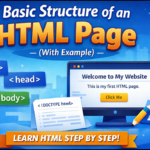

When you start learning HTML, the first thing you need to understand is HTML tags. Tags are the building blocks of every webpage. Without them, a browser would not know what is a heading, what is text, what is an image, or what is a link.
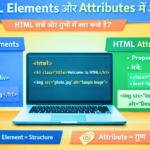
Agar aap web development ki duniya mein kadam rakh rahe hain, toh HTML (HyperText Markup Language) aapki pehli seedhi hai. HTML kisi bhi website ka “skeleton” ya dhancha hota hai.Common HTML Tags
Here, we will cover the most common HTML tags that every beginner should know, along with simple explanations and examples.
What Is an HTML Tag?
An HTML tag is a keyword written inside angle brackets < >.
Tags tell the browser how to display content.Common HTML Tags
Most HTML tags come in pairs:
- Opening tag
- Closing tag
Example:
<p>This is a paragraph</p>
Some tags do not need a closing tag.Common HTML Tags
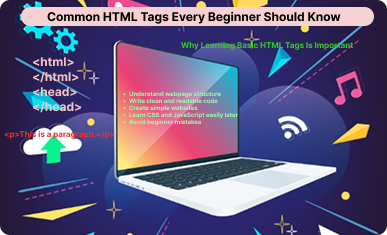
Why Learning Basic HTML Tags Is Important
Learning common HTML tags helps you:
- Understand webpage structure
- Write clean and readable code
- Create simple websites
- Learn CSS and JavaScript easily later
- Avoid beginner mistakes
Once you know these basic tags, HTML becomes very easy.
1. <html> Tag
<html>
</html>
Explanation:
- This is the root tag of an HTML document
- All HTML code is written inside it
- It tells the browser where the webpage starts and ends
Every HTML page must have this tag.
2. <head> Tag
<head>
    <title>My Website</title>
</head>
Explanation:
- Contains information about the page
- Content inside this tag is not visible on the webpage
- Used for title, meta information, and settings
3. <title> Tag
<title>My First HTML Page</title>
Explanation:
- Shows the page title on the browser tab
- Important for and user experience
- Written inside the head section
4. <body> Tag
<body>
    <h1>Hello World</h1>
</body>
Explanation:
- Contains all visible content
- Text, images, buttons, links—everything goes here
- Without body tag, nothing will appear on screen
5. Heading Tags (<h1> to <h6>)
<h1>Main Heading</h1>
<h2>Sub Heading</h2>
<h3>Small Heading</h3>
Explanation:
- Used for headings and subheadings
<h1>is the most important heading<h6>is the smallest heading
Tip: Use only one <h1> per page
6. <p> Paragraph Tag
<p>This is a paragraph of text.</p>
Explanation:
- Used for normal text
- Automatically adds space before and after text
- Makes content readable
7. <br> Line Break Tag
This is line one<br>
This is line two
Explanation:
- Breaks the line
- No closing tag required
- Useful for small line gaps
8. <hr> Horizontal Line Tag
<hr>
Explanation:
- Creates a horizontal line
- Used to separate content sections
- No closing tag needed
9. <a> Anchor (Link) Tag
<a href="#">Click Here</a>
Explanation:
- Used to create links
- Allows navigation between pages
- Text inside the tag becomes clickable
10. <img> Image Tag
<img src="image.jpg" alt="Sample Image">
Explanation:
- Displays images on a webpage
- Does not have a closing tag
alttext is important for accessibility
11. List Tags (<ul>, <ol>, <li>)
Unordered List:
<ul>
    <li>HTML</li>
    <li>CSS</li>
    <li>JavaScript</li>
</ul>
Ordered List:
<ol>
    <li>Wake up</li>
    <li>Study HTML</li>
    <li>Practice</li>
</ol>
Explanation:

<ul> creates bullet list

<ol> creates numbered list

<li> defines list items
12. <div> Tag
<div>
    <h2>Section Title</h2>
    <p>This is a section.</p>
</div>
Explanation:
- Used to group elements
- Helps in layout design
- Very important for CSS styling
13. <span> Tag
<p>This is <span>important</span> text.</p>
Explanation:
- Used for small inline content
- Does not start a new line
- Useful for styling specific words
14. <button> Tag
<button>Click Me</button>
Explanation:
- Creates a clickable button
- Used in forms and actions
- Can be styled easily
15. <input> Tag
<input type="text" placeholder="Enter your name">
Explanation:
- Takes user input
- Used in forms
- Many types like text, password, email
16. <form> Tag
<form>
    <input type="text">
    <button>Submit</button>
</form>
Explanation:
- Collects user data
- Used for login, signup, contact forms
Common Beginner Mistakes with HTML Tags
Common Beginner Mistakes with HTML Tags
- Forgetting to close tags
- Using multiple
<h1>tags
Writing content outside<body>
Not using proper indentation
Ignoringaltattribute in imag
Best Practice for Beginners
Write clean code
Use proper indentation
Learn tags step by step
Practice daily
Focus on structure first
Final Thoughts
HTML tags are the foundation of web development. Every website you see online is made using these basic tags. If you understand and practice these common HTML tags, you will gain confidence and clarity in web development.Common HTML Tags
Start simple, practice regularly, and slowly move to advanced topics. HTML becomes easy when you understand its basics.Common HTML Tags