
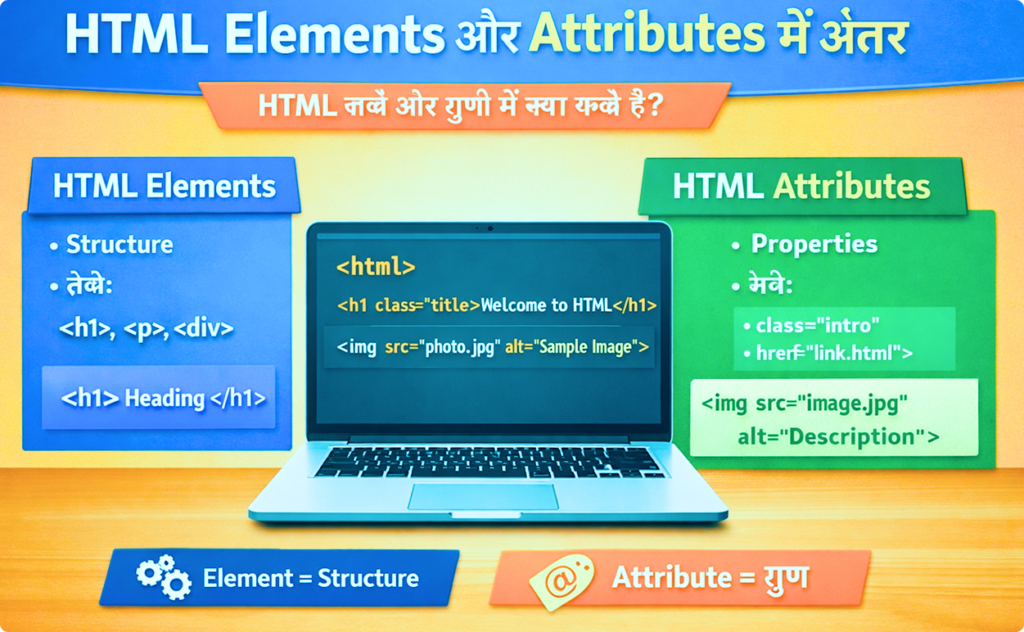

When someone starts learning HTML, one of the most common confusions they face is understanding the difference between HTML elements and HTML attributes. Beginners often use these two terms interchangeably, but in reality, they are not the same. Each has a different role in building a webpage.
HTML is the foundation of every website, and to use it correctly, you must clearly understand what elements are and what attributes do. This blog is written especially for beginners and explains everything step by step in a simple way.
By the end of this article, you will fully understand:
- What HTML elements are
- What HTML attributes are
- How elements and attributes work together
- Key differences between them
- Real-life and code examples for better clarity
What Is HTML?
HTML stands for HyperText Markup Language. It is used to create and structure content on the web. HTML tells the browser what to display and how to organize it.
HTML works using elements and attributes. These two concepts form the core of HTML.
What Is an HTML Element?
An HTML element is a complete structure that defines a specific part of a webpage. It usually consists of:
- An opening tag
- Content
- A closing tag
Example of an HTML Element
<p>This is a paragraph.</p>
In this example:
<p>is the opening tagThis is a paragraph.is the content</p>is the closing tag
Together, they form one HTML element.
Purpose of HTML Elements
HTML elements are used to:
- Display content on the webpage
- Define structure and layout
- Tell the browser what each piece of content is
For example:
- A heading element tells the browser this text is a heading
- A paragraph element tells the browser this text is a paragraph
- An image element tells the browser to show an image
Without HTML elements, a webpage would have no structure.
Types of HTML Elements
HTML elements can be broadly divided into different types.
1. Container Elements
These elements have opening and closing tags and contain content.
Examples:
- Paragraph (
p) - Heading (
h1toh6) - Division (
div) - Link (
a)
2. Empty Elements
These elements do not have closing tags.
Examples:
- Image (
img) - Line break (
br) - Horizontal line (
hr) - Input (
input)
Even empty elements are still called HTML elements.
Common HTML Elements Example
<h1>Welcome</h1>
<p>This is my website.</p>
<img src="photo.jpg" alt="My Photo">
Here:
h1,p, andimgare HTML elements- They define headings, text, and images
What Is an HTML Attribute?
An HTML attribute provides additional information about an HTML element.
Attributes help define how an element behaves, looks, or works.
Attributes are always written:
- Inside the opening tag
- In the format:
name="value"
Example of an HTML Attribute
<img src="image.jpg" alt="Sample Image">
In this example:
srcandaltare attributes- They belong to the
imgelement
Purpose of HTML Attributes
HTML attributes are used to:
- Provide extra details to elements
- Control element behavior
- Improve accessibility
- Help browsers understand content better
While elements define what something is, attributes define how it behaves.
Common HTML Attributes
Some commonly used HTML attributes are:
idclasssrchrefalttitletypeplaceholder
Each attribute has a specific role depending on the element.
Example: Element vs Attribute
<a href="#">Visit Page</a>
Explanation:
<a>→ HTML elementhref→ HTML attributeVisit Page→ element content
Without the href attribute, the link would not work.
Key Difference Between HTML Elements and Attributes
Simple Explanation
- HTML Element → The main building block of a webpage
- HTML Attribute → Extra information about that building block
Elements create content.
Attributes enhance or control that content.
Comparison Table: HTML Elements vs Attributes
| Feature | HTML Elements | HTML Attributes |
|---|---|---|
| Definition | Define webpage content | Provide extra information |
| Role | Structure the page | Modify element behavior |
| Written as | Tags with content | Name-value pairs |
| Location | Whole structure | Inside opening tag |
| Can exist alone | Yes | No |
| Example | <p>Hello</p> | class="text" |
How Elements and Attributes Work Together
Elements and attributes always work together to create a complete webpage.
Example:
<input type="text" placeholder="Enter your name">
Explanation:
input→ HTML elementtypeandplaceholder→ HTML attributes
The element creates the input field, while attributes control its type and behavior.
Multiple Attributes in a Single Element
An element can have more than one attribute.
<img src="logo.png" alt="Website Logo" title="Main Logo">
Here:
imgis the elementsrc,alt, andtitleare attributes
Each attribute adds more information to the element.
Global Attributes in HTML
Some attributes can be used with almost any HTML element. These are called global attributes.
Examples:
idclassstyletitle
Example:
<p class="info" id="para1">Information text</p>
Elements Without Attributes
Some elements can work without attributes.
Example:
<p>Hello World</p>
This is a complete HTML element even without any attributes.
Attributes Cannot Exist Alone
Attributes cannot exist without elements.
❌ Wrong:
src="image.jpg"
✔️ Correct:
<img src="image.jpg">
This shows that attributes always depend on elements.
Real-Life Example to Understand Better
Think of a mobile phone:
- Mobile phone = HTML element
- Color, storage, brand = HTML attributes
The phone exists on its own, but attributes describe it better.
Common Beginner Mistakes
Beginners often make these mistakes:
Confusing elements with attributes
Writing attributes outside the opening tag
Forgetting quotation marks
Using incorrect attribute names
Overloading elements with unnecessary attributes
Best Practices for Beginners
Learn HTML elements first
Understand attributes step by step
Use clean and readable code
Always close tags properly
Practice with real examples
Why This Difference Is Important
Understanding the difference between elements and attributes helps you:
- Write correct HTML code
- Avoid syntax errors
- Learn CSS and JavaScript faster
- Build professional-looking websites
Most advanced web development concepts depend on this basic understanding.
Understanding HTML Elements in Detail
An HTML element usually consists of three parts:
Opening tag + Content + Closing tag
Example:
<p>This is a paragraph</p>
In this example, <p> is an HTML element used to define a paragraph. Some elements do not have closing tags. These are known as empty or self-closing elements, such as:
The main purposes of HTML elements are:
To define the structure of a web page
To tell the browser which content is a heading, paragraph, image, or link
To make content organized and readable
Common HTML elements include
Common HTML elements include <h1>, <p>, <div>, <img>, <a>, and <span>.
Final Summary
- HTML elements define the structure and content of a webpage
- HTML attributes provide extra information about elements
- Elements can exist without attributes
- Attributes cannot exist without elements
- Both work together to make HTML powerful and flexible
If you clearly understand this difference, HTML will become much easier and more enjoyable to learn.
Difference Between HTML Elements



Pingback: How Head and Body Sections Work in HTML 5 - litecodify.com
Pingback: Why Semantic HTML Matters 9 for Websites - litecodify.com