
Introduction
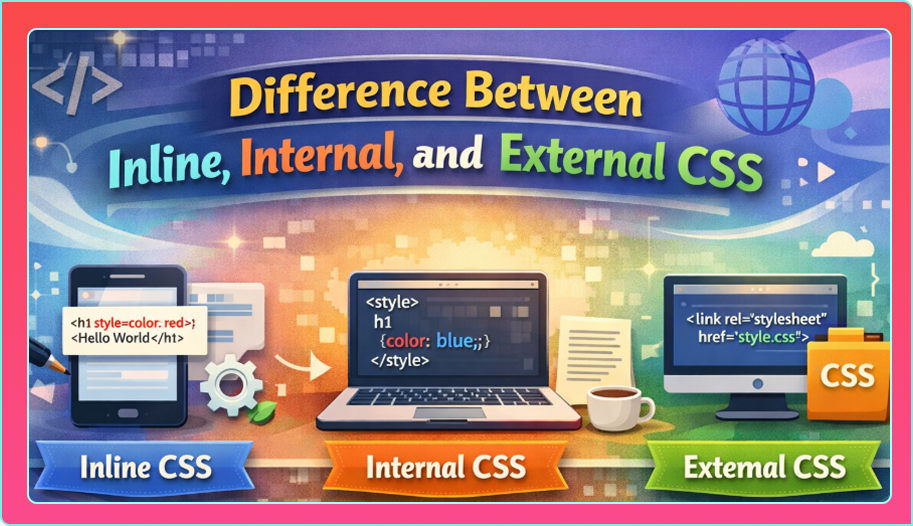
CSS is one of the most important technologies used in web development. It controls how a web page looks, feels, and behaves visually. When learning CSS, beginners often get confused about how CSS is applied to HTML. This confusion mainly comes from the three different ways CSS can be used:
In this blog, we will clearly explain the difference between Inline, Internal, and External CSS in a simple and beginner-friendly way. By the end, you will know when to use each type and which one is best for real-world projects.
What Is CSS?
CSS stands for Cascading Style Sheets. It is used to style HTML elements by adding colors, fonts, layouts, spacing, and responsiveness to web pages.
While HTML creates the structure of a web page, CSS controls its design.
Ways to Apply CSS
There are three main ways to apply CSS to HTML:
- Inline CSS
- Internal CSS
- External CSS
Each method has its own use cases, advantages, and disadvantages.
Let’s understand them one by one.
1. Inline CSS
What Is Inline CSS?
Inline CSS is written directly inside an HTML element using the style attribute. The style applies only to that specific element.
Example of Inline CSS
<p style="color: blue; font-size: 16px;">
  This is a paragraph.
</p>
Here, the CSS is applied directly to the <p> tag.
Advantages of Inline CSS
- Easy and quick to use
- Useful for testing small style changes
- Has the highest priority in CSS
Disadvantages of Inline CSS
- Makes HTML messy and hard to read
- Not reusable
- Difficult to manage for large projects
- Breaks separation of content and design
When to Use Inline CSS?
Inline CSS should be used:
- For quick testing
- For very small changes
- When overriding other CSS styles
Not recommended for professional or large websites.
2. Internal CSS
What Is Internal CSS?
Internal CSS is written inside a <style> tag, which is placed within the <head> section of an HTML document. It styles the entire page.
Example
<head>
  <style>
    p {
      color: green;
      font-size: 18px;
    }
  </style>
</head>
This CSS applies to all <p> elements on that page.
Advantages of Internal CSS
- Styles apply to the whole page
- Better organization than inline CSS
- Useful for single-page websites
- No external file required
Disadvantages of Internal CSS
- Styles cannot be reused on other pages
- Code becomes bulky for large pages
- Not suitable for multi-page websites
When to Use Internal CSS?
Internal CSS is useful:
- For single-page projects
- For small demo websites
- For testing page-specific styles
3. External CSS
What Is External CSS?
External CSS is written in a separate .css file and linked to HTML using the <link> tag. This is the most recommended method.
Example
HTML file:
<link rel="stylesheet" href="style.css">
CSS file (style.css):
p {
  color: red;
  font-size: 16px;
}
This CSS can be used across multiple pages.
Advantages
- Clean and organized code
- Styles reusable across multiple pages
- Easy to maintain and update
- Faster website loading (browser caching)
Disadvantages of External CSS
- Requires an extra file
- Slight delay if CSS file fails to load
- Beginners may find linking confusing initially
When to Use External CSS?
External CSS should be used:
- For professional websites
- For multi-page projects
- For large and scalable applications
This is the best practice in web development.
Comparison Table: Inline vs Internal vs External CSS
| Feature | Inline CSS | Internal CSS | External CSS |
|---|---|---|---|
| Location | Inside HTML tag | Inside <style> | Separate file |
| Reusability | No | Limited | Yes |
| Code Cleanliness | Poor | Medium | Excellent |
| Priority | Highest | Medium | Lowest |
| Best for | Quick fixes | Single page | Large websites |
CSS Priority Order (Important Concept)
When multiple CSS types apply to the same element, CSS follows this priority:
- Inline CSS
- Internal CSS
- External CSS
Example:
/* External */
p { color: blue; }
<style>
  p { color: green; }
</style>
<p style="color: red;">Text</p>
The paragraph will be red (Inline CSS wins).
Best Practices for Beginners
- Avoid inline CSS as much as possible
- Use internal CSS only for small pages
- Prefer external CSS for real projects
- Keep CSS files organized
- Use meaningful class names
Common Mistakes Beginners Make
- Mixing all CSS types randomly
- Overusing inline CSS
- Forgetting to link external CSS file
- Writing duplicate CSS rules
- Ignoring CSS priority rules
Avoiding these mistakes improves code quality.
Real-World Usage Example
In real projects:
- Inline CSS → Rarely used
- Internal CSS → Small pages or testing
- External CSS → Almost every professional website
Frameworks like Bootstrap and Tailwind also use external CSS concepts.
Which CSS Method Should You Choose?
If you are confused, remember this simple rule:
Use External CSS by default.
Use inline or internal CSS only when there is a strong reason.
Conclusion
Understanding the difference between Inline, Internal, and External CSS is very important for anyone learning web development. Inline CSS applies styles directly to elements, internal CSS styles a single page, and external CSS provides a clean, scalable, and professional approach.
For beginners, learning all three methods helps understand how CSS works, but in real-world projects, CSS is always the best choice. Mastering this concept will make your CSS cleaner, more manageable, and future-ready.