
CSS Introduction
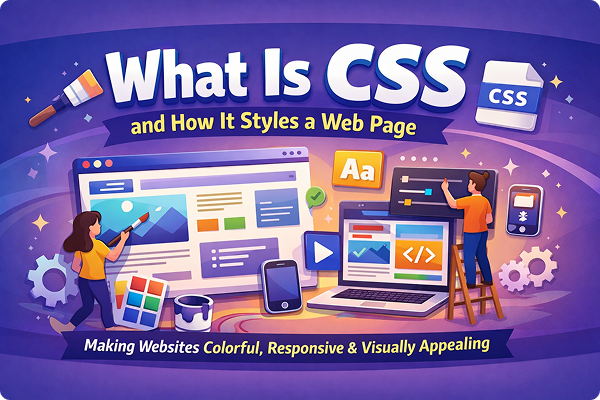
When you open a website, the first thing you notice is not the code behind it, but how it looks. The colors, fonts, layout, spacing, buttons, and overall design all work together to create a pleasant experience. This visual presentation of a website is controlled mainly by CSS. Without CSS, websites would look plain, boring, and difficult to use. In this article, we will understand what CSS is, why it is important, and how it styles a web page in a simple and practical way.
What Is CSS?
CSS stands for Cascading Style Sheets. It is a language used to style and design web pages written in HTML. While HTML is responsible for creating the structure and content of a web page—such as headings, paragraphs, images, and links—CSS controls how that content looks on the screen.
In simple words:
- HTML = Structure
- CSS = Design
CSS allows developers to add colors, change fonts, control spacing, align elements, create layouts, and even add animations. It separates content from design, which makes websites easier to manage and more flexible.
Why Is CSS Important?
CSS plays a very important role in modern web development. Here are some key reasons why CSS is essential:
1. Improves Website Appearance
Without CSS, a website would display text and images in a basic, unstyled format. CSS makes websites visually attractive and professional.
2. Saves Time and Effort
Using CSS, you can style multiple web pages at once. If you want to change the font color across the entire website, you can do it by editing a single CSS file instead of modifying every page.
3. Better User Experience
Good design improves readability and navigation. CSS helps create layouts that are easy to understand and pleasant to use on different devices.
4. Supports Responsive Design
With CSS, websites can adapt to different screen sizes like mobile phones, tablets, and desktops. This is very important in today’s mobile-first world.
5. Cleaner Code
By separating HTML and CSS, the code becomes cleaner, easier to read, and easier to maintain.
How CSS Works with HTML
CSS works by selecting HTML elements and applying styles to them. For example, if you want all paragraphs to be blue, CSS can do that with just a few lines of code.
CSS rules are made of three main parts:
- Selector – Targets the HTML element
- Property – What you want to change (color, size, etc.)
- Value – The new style you want to apply
Example:
p {
  color: blue;
  font-size: 16px;
}
This code tells the browser to display all paragraph text in blue color with a font size of 16 pixels.
Types of CSS
There are three main ways to apply CSS to a web page:
1. Inline CSS
Inline CSS is written directly inside an HTML tag using the style attribute.
Example:
<p style="color: red;">This is a paragraph.</p>
This method is simple but not recommended for large projects because it makes the code messy and hard to maintain.
2. Internal CSS
Internal CSS is written inside a <style> tag within the <head> section of an HTML document.
Example:
<style>
  h1 {
    color: green;
  }
</style>
This method is useful for styling a single page but not ideal for multiple pages.
3. External CSS
External CSS is written in a separate .css file and linked to the HTML document.
Example:
<link rel="stylesheet" href="style.css">
This is the best and most commonly used method because it keeps design separate from content and allows reuse across multiple pages.
How CSS Styles a Web Page
CSS styles a web page by controlling different visual aspects. Let’s look at the most important ones.
1. Colors and Backgrounds
CSS allows you to change text color, background color, and even add background images.
Example:
body {
  background-color: #f5f5f5;
}
You can use color names, HEX codes, RGB, or HSL values.
2. Fonts and Text Styling
CSS controls how text looks on a website. You can change font type, size, weight, spacing, and alignment.
Example:
h1 {
  font-family: Arial, sans-serif;
  font-size: 32px;
  text-align: center;
}
This helps create a consistent and readable design.
3. Spacing and Layout
CSS manages spacing using properties like margin, padding, and line-height. Proper spacing improves readability and visual balance.
Example:
div {
  margin: 20px;
  padding: 15px;
}
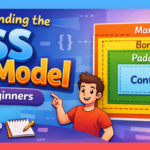
4. Box Model
Every HTML element is treated as a box in CSS. The box model consists of:
- Content
- Padding
- Border
- Margin
Understanding the box model is very important for layout design.
5. Positioning Elements
CSS allows you to position elements using properties like:
staticrelativeabsolutefixedsticky
These properties help control where elements appear on the page.
6. Layout Systems (Flexbox and Grid)
Modern CSS provides powerful layout tools:
Flexbox is used for one-dimensional layouts (row or column).
Example:
.container {
  display: flex;
  justify-content: space-between;
}
CSS Grid is used for two-dimensional layouts (rows and columns).
Example:
.grid {
  display: grid;
  grid-template-columns: repeat(3, 1fr);
}
These tools make complex layouts much easier to build.
7. Responsive Design
CSS uses media queries to adjust styles for different screen sizes.
Example:
@media (max-width: 768px) {
  body {
    font-size: 14px;
  }
}
This ensures that websites look good on all devices.
8. Animations and Transitions
CSS can create smooth animations without using JavaScript.
Example:
button {
  transition: background-color 0.3s;
}

button:hover {
  background-color: blue;
}
This improves interactivity and user engagement.
The “Cascading” in CSS
The word cascading means that CSS follows a priority system when applying styles. If multiple styles are applied to the same element, the browser decides which one to use based on:
- Importance (
!important) - Specificity (inline > internal > external)
- Order of rules
This system allows flexibility but also requires careful planning.
Advantages of Using CSS
- Makes websites visually attractive
- Improves performance by reducing repeated code
- Helps maintain consistency across pages
- Makes websites accessible and responsive
- Easy to update and manage
Common Mistakes Beginners Make
- Overusing inline CSS
- Not understanding the box model
- Ignoring responsive design
- Writing messy or repeated CSS
- Not organizing CSS files properly
Avoiding these mistakes will help you become a better web designer.
Conclusion
CSS is a powerful and essential tool in web development. It transforms simple HTML pages into visually appealing, user-friendly websites. By controlling layout, colors, fonts, spacing, and responsiveness, CSS plays a major role in how users experience a website. Understanding how CSS works and how it styles a web page is the foundation of modern web design.
Whether you are a beginner learning web development or someone planning to create a professional website, mastering CSS will give you the ability to bring your ideas to life on the screen. With practice and creativity, CSS allows you to turn plain content into beautiful digital experiences.