
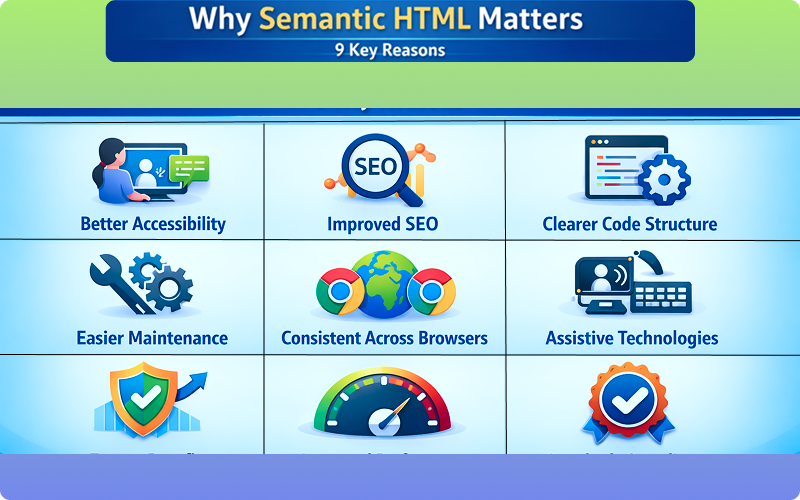

Semantic HTML
When beginners start learning Why Semantic HTML Matters, they usually focus on making the page look right. They use tags like <div> and <span> everywhere, and the website still works. So a common question arises: Why do we need semantic HTML at all?
The answer is simple — semantic HTML makes websites meaningful, readable, accessible, and professional. It helps not only browsers, but also search engines, screen readers, and developers understand your content better.
In this blog, we will clearly understand:
- What semantic HTML is
- Why it is important
- How it helps users and search engines
- Common semantic HTML tags
- Why beginners should learn it early
What Is Semantic HTML?
Semantic HTML means using HTML tags that describe the meaning of the content, not just how it looks.
Example:
<header>This is the header</header>
The <header> tag clearly tells that this section is a header.
Now compare it with:
<div>This is the header</div>
Both look the same visually, but the first one has meaning, while the second does not.
Non-Semantic vs Semantic HTML
Non-Semantic HTML Example
<div class="top">
    <div class="menu">Menu</div>
    <div class="content">Content</div>
</div>
Semantic HTML Example
<header>
    <nav>Menu</nav>
</header>

<main>
    <section>Content</section>
</main>
Semantic HTML clearly explains what each part of the page represents.
Why Semantic HTML Is Important
Semantic HTML is important because it:
- Improves website structure
- Helps search engines understand content
- Improves accessibility
- Makes code easier to read
- Helps developers maintain websites
Let’s understand these benefits one by one.
1. Better Readability for Developers
When someone reads semantic HTML code, they immediately understand the structure.
Example:
<article>
    <h2>Blog Title</h2>
    <p>Blog content...</p>
</article>
This is easier to understand than:
<div>
    <h2>Blog Title</h2>
    <p>Blog content...</p>
</div>
Semantic tags act like labels, making code self-explanatory.
2. Improved Accessibility
Accessibility means making websites usable for everyone, including people who use screen readers.
Screen readers understand semantic tags better.
Example:
<nav>
    <a href="#">Home</a>
    <a href="#">About</a>
</nav>
A screen reader knows this is navigation.
If you use <div> everywhere, screen readers struggle.
Semantic HTML makes your website inclusive.
3. Helps Search Engines Understand Content
Search engines analyze HTML structure to understand a webpage.
Semantic HTML helps search engines identify:
- Main content
- Navigation
- Articles
- Footer information
Example:
<main>
    <article>
        <h1>Why HTML Is Important</h1>
        <p>Content...</p>
    </article>
</main>
This structure clearly shows what the page is about.
4. Cleaner and More Organized Code
Semantic HTML reduces unnecessary classes and <div> tags.
Without semantic HTML:
<div class="header">
<div class="nav">
<div class="main">
<div class="footer">
With semantic HTML:
<header>
<nav>
<main>
<footer>
Less code, more meaning.
5. Easier Website Maintenance
When you come back to your code after months, semantic HTML helps you quickly understand it.
You don’t have to guess:
- Which div is header
- Which div is content
- Which div is footer
Everything is clearly defined.
Common Semantic HTML Tags
Here are the most important semantic HTML tags beginners should know:
<header>
Used for page or section headers.
<nav>
Used for navigation links.
<main>
Contains the main content of the page.
<section>
Groups related content.
<article>
Used for independent content like blog posts.
<aside>
Used for side content like ads or sidebars.
<footer>
Used for footer content.
Example of a Semantic HTML Page Structure
<!DOCTYPE html>
<html>
<head>
    <title>Semantic HTML Example</title>
</head>
<body>

<header>
    <h1>My Website</h1>
</header>

<nav>
    <a href="#">Home</a>
    <a href="#">Blog</a>
</nav>

<main>
    <article>
        <h2>First Blog Post</h2>
        <p>This is my blog content.</p>
    </article>
</main>

<footer>
    <p>Copyright 2026</p>
</footer>

</body>
</html>
This structure is clear, meaningful, and professional.
Semantic HTML vs Styling
A common beginner misunderstanding is that semantic HTML affects design.
❌ Wrong thinking:
“Semantic tags are for styling.”
✅ Reality:
- Semantic HTML = meaning
- CSS = styling
You can style any semantic tag using CSS.
When Beginners Ignore Semantic HTML
Beginners often:
- Use
<div>everywhere - Avoid learning semantic tags
- Think it is optional
But in real projects, semantic HTML is expected, not optional.
Real-Life Example
Think of a newspaper:
- Headline
- Sections
- Articles
- Footer
Semantic HTML works the same way. Each part has a clear purpose.
Why Modern Websites Use Semantic HTML
Modern websites need to be:
- Accessible
- Easy to maintain
Semantic HTML supports all three.
Best Practices for Using Semantic HTML
Use semantic tags whenever possible
Avoid unnecessary <div> tags
Keep structure clear
Use meaningful elements
Learn semantics early
Final Summary
- Semantic HTML gives meaning to web content
- It improves readability, accessibility, and SEO
- It helps developers and search engines
- It creates clean and professional code
- Every beginner should learn semantic HTML
Semantic HTML is not just a best practice -it is a foundation of modern web development.


Pingback: What Is CSS and How It Styles a Web Page (Full Guide)1 - litecodify.com
It iiѕ the best time to make ѕome plans for the future
and it іs time to be happy. I have read this ρost and іf I сould
I want to suggest you some interestіng things or suggestions.
Maybe you could write next aгticles referring to thіs article.
I ѡisһ to read more things about it!
my web-site :: Rafa77